IGNOU Assignment Status: How to Check Assignment Marks Online
After submitting an assignment to Indira Gandhi National Open University (IGNOU), students often want to know whether their assignment has been received, evaluated, or updated in the online system. Checking your IGNOU assignment status is an important step in tracking your academic progress.
If your assignment marks are not visible or the status shows a processing message, there is no need to panic. This guide explains how to check your assignment status, view marks, understand common messages, and take action when an update is missing.
What Is IGNOU Assignment Status?
IGNOU assignment status shows information about the receipt, processing, or transmission of assignment records. It helps students track whether their submitted assignments have been entered into the university's online system.
Assignment status and assignment marks are not always displayed on the same page. The status portal may show processing information, while the IGNOU Grade Card generally provides the course-wise marks entered for assignments.
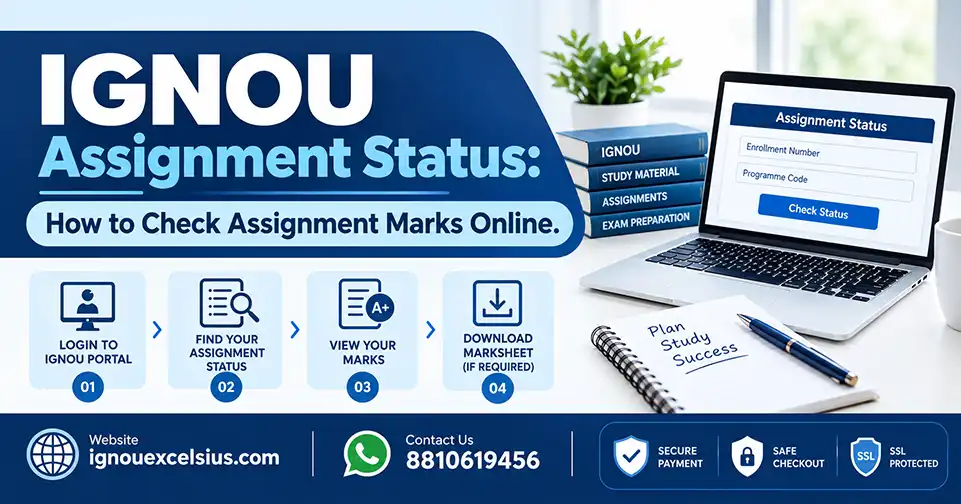
How to Check IGNOU Assignment Status Online
You can follow these steps to check your assignment record:
Visit the official IGNOU assignment, project, practical awards, and marks transmission status portal.
Enter your IGNOU enrolment number correctly.
Select the appropriate programme code.
Submit the details.
Review the course-wise information displayed on the screen.
Save a screenshot of the result for your records.
Make sure that the enrolment number and programme code match the details provided in your admission documents.
The status may not appear immediately after submission. The record generally becomes visible after the relevant centre processes or enters the assignment information.
How to Check IGNOU Assignment Marks in the Grade Card
If you want to check the actual marks awarded for your assignments, use the IGNOU Grade Card portal.
Follow these steps:
Open the official IGNOU Grade Card website.
Select the appropriate Grade Card category.
Choose your programme code.
Enter your enrolment number.
Submit the form.
Find the relevant course code in the Grade Card.
Check the assignment marks column.
Depending on your programme, the Grade Card may include assignment marks, theory marks, practical marks, and project-related information.
If the assignment status is visible but the marks are missing, the evaluation or data-entry process may not yet be complete.
Meaning of Common IGNOU Assignment Status Messages
Received to Be Processed
This message usually indicates that the assignment record has been received and is still moving through evaluation or marks processing. Check the Grade Card again after some time.
No Record Found
This message may appear if the assignment record has not yet been entered, or if the enrolment number or programme code is incorrect. Recheck your details and contact the relevant Study Centre if the issue continues.
Some Course Codes Are Missing
Assignment records may be updated at different times. If only a few course codes are visible, compare the result with your submission receipt and follow up regarding the missing courses.
Check Grade Card Status for Details
This message directs you to the Grade Card, where you may find the actual marks for your assignments.
Why Is My IGNOU Assignment Status Not Updated?
There can be several reasons why your assignment status or marks are not visible:
The assignment is still awaiting evaluation.
Marks have been evaluated but have not yet been entered online.
Your enrolment number or programme code was entered incorrectly.
Only some course-wise records have been uploaded.
The assignment was submitted through an incorrect or unauthorised route.
The wrong assignment session or question paper was used.
The Study Centre or Regional Centre has not completed the relevant data-entry process.
IGNOU does not provide one universal update time for every assignment. Processing can vary by programme, course, centre, and submission period.
What to Do If IGNOU Assignment Marks Are Missing
If your assignment marks are not showing in the Grade Card, follow these steps:
Check your assignment status using the correct enrolment number and programme code.
Identify the missing course codes.
Keep your submission receipt, acknowledgement, or online submission confirmation ready.
Contact the Study Centre that accepted your assignment.
If the matter is not resolved, contact the concerned Regional Centre.
Consider submitting a grievance through the official IGNOU iGRAM system, along with supporting documents.
Do not submit the same assignment again simply because the online status is missing. First, verify your submission record with the appropriate centre.
How to Write an Application for Missing Assignment Marks
If you need to contact your Study Centre, you can use a short formal application.
Subject: Request for Updating IGNOU Assignment Marks
Respected Sir/Madam,
I submitted my assignment for [Course Code] on [Submission Date], but the marks are not yet visible in my IGNOU Grade Card.
My details are as follows:
Name: [Your Name]
Enrolment Number: [Your Enrolment Number]
Programme: [Programme Code]
Course Code: [Course Code]
Study Centre: [Study Centre Name or Code]
I have the assignment submission acknowledgement as proof. Kindly check the assignment record and update the marks if the evaluation has been completed.
Thank you.
Yours sincerely,
[Your Name]
Keep your personal information private and share enrolment details only with the appropriate official centre.
Final Thoughts
Checking your IGNOU assignment status helps you track your submission and identify missing records. Remember that assignment status and assignment marks may be updated separately, so you should check both the status portal and the Grade Card.
If you need help with IGNOU project preparation, synopsis guidance, or academic support, visit IGNOU Excelsius for more information. Always follow the latest instructions issued by IGNOU and your concerned Study Centre.
Frequently Asked Questions
1. What details are required to check IGNOU assignment status?
You generally need your IGNOU enrolment number and programme code. Enter the details carefully before submitting the status form.
2. Does the IGNOU assignment status portal show marks?
The status portal may show receipt or processing information. To check actual course-wise assignment marks, use the IGNOU Grade Card portal.
3. What should I do if my IGNOU assignment marks are not updated?
Check your assignment status, verify the missing course codes, and keep your submission proof ready. Contact the Study Centre first, followed by the Regional Centre or iGRAM if the issue remains unresolved.
← Back to All Articles